Branches
Purpose
The Branches module allows the cooperative to manage multiple physical locations or branches. Each member, staff user, and account is assigned to a branch. Branches help the cooperative organise its operations, restrict access to the right location, and generate branch-specific reports.
Who Can Access
| Role | Access Level |
|---|---|
| Administrator | Full access — create, edit, and manage branches |
How to Open This Page
Sidebar → Admin → Branches
Branches List
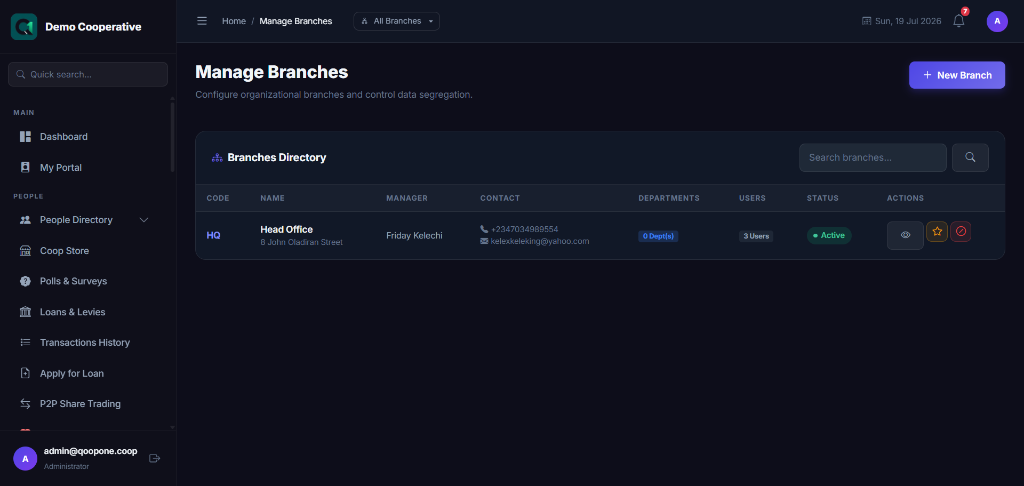
| Column | Description |
|---|---|
| Branch Name | Full name of the branch |
| Branch Code | Short identifier (e.g. HQ, IBD, KAD) |
| Address | Physical location |
| Manager | Staff member in charge of the branch |
| Members | Number of members in this branch |
| Status | Active or Inactive |
Creating a Branch
- Click Add Branch.
- Fill in:
| Field | Required | Description | Example |
|---|---|---|---|
| Branch Name | Yes | Full name of the branch | Ibadan Branch |
| Branch Code | Yes | Short code | IBD |
| Address | No | Physical address | 15 Ring Road, Ibadan |
| Phone | No | Branch contact number | +2348012345678 |
| No | Branch email | ibadan@firstcoop.com |
|
| Branch Manager | No | Assign a staff member as branch manager | Tunde Adeleke |
- Click Save Branch.
Tips
Head Office Branch
Always create a Head Office branch first. It is used as the default branch when no other is specified.
Inactive Branches
If a branch closes, deactivate it rather than deleting it. Existing records linked to that branch are preserved.