Compliance
Purpose
The Compliance module helps the cooperative manage its regulatory obligations — including KYC (Know Your Customer) verification for members, statutory filings, licensing, regulatory audits, compliance task tracking, and tax management. This module ensures the cooperative stays on the right side of the law.
Who Can Access
- Administrator
- Compliance Officer
- Manager (view)
- Auditor (view)
How to Open This Page
Compliance & Risk → Compliance
Screen Overview
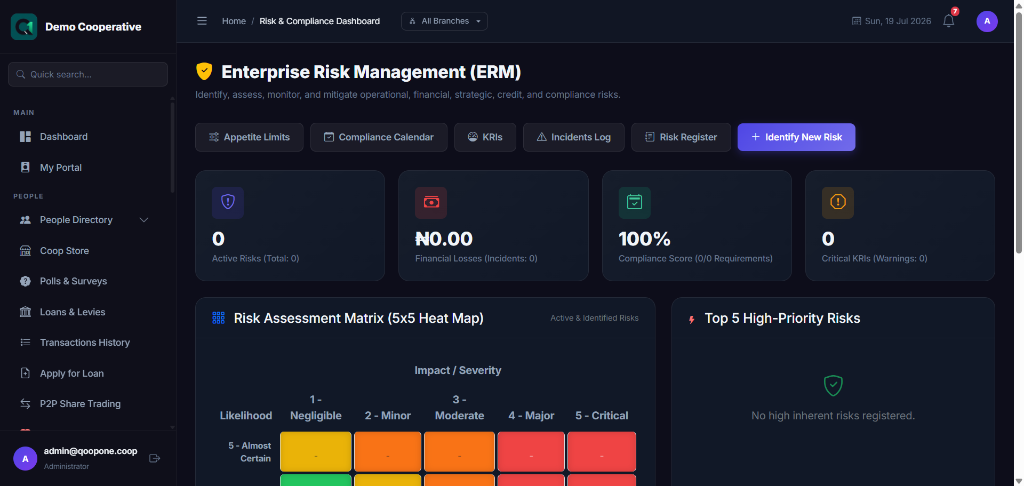
The compliance dashboard shows outstanding tasks, upcoming filing deadlines, expiring licenses, and members with incomplete KYC.
Key Sections
KYC & AML (Know Your Customer / Anti-Money Laundering)
Compliance → Members KYC/AML
This section lists all members with their KYC status:
| Status | Meaning |
|---|---|
| Verified | Full ID documents collected and verified |
| Pending | Documents uploaded but not yet reviewed |
| Incomplete | Member has not submitted required documents |
| Flagged | Member flagged for AML review |
To review a member's KYC: 1. Click on the member's name. 2. View their uploaded documents. 3. Approve or flag for further review.
Compliance Requirements
Track regulatory requirements the cooperative must meet:
- Go to Compliance → Requirements.
- Click Add Requirement.
- Enter the regulatory requirement details, responsible officer, and due date.
- Track progress against each requirement.
Regulatory Filings
Track all regulatory submissions:
- Go to Compliance → Filings.
- Click New Filing.
- Select the Regulatory Agency (e.g., CAC, CBN, NAICOM).
- Enter the filing details and submission date.
- Upload proof of submission.
Licenses
Track all operational licenses and their expiry dates:
- Go to Compliance → Licenses.
- Add each license with name, issuing authority, issue date, and expiry date.
- The system sends alerts when a license is approaching expiry.
Regulatory Audits
When a regulatory audit is scheduled:
- Go to Compliance → Audits.
- Click New Audit.
- Enter the audit name, scheduled date, and scope.
- Assign a responsible officer.
- Track findings and their resolution.
Compliance Tasks
Create actionable tasks for compliance items:
- Go to Compliance → Tasks.
- Click New Task.
- Enter task description, due date, and assignee.
- Track completion status.
Taxes
Track tax obligations and payments:
- Go to Compliance → Taxes.
- Add tax entries (WHT, VAT, PAYE, etc.).
- Record tax payments when made.
Tips
Tip
Set reminders for all license expiry dates. An expired licence can result in regulatory penalties.
Warning
Never allow a member to make large transactions without completing KYC verification. This is a regulatory requirement and protects the cooperative from financial crime risk.