Welfare
Purpose
The Welfare module manages the cooperative's welfare fund — a special fund used to support members during emergencies, illnesses, or bereavement. Members may be eligible for welfare grants or interest-free welfare loans from this fund based on the cooperative's welfare policy.
Who Can Access
| Role | Access Level |
|---|---|
| Administrator | Full access |
| Committee Member | Can approve welfare claims |
| Account Officer | Can submit claims on behalf of members |
| Auditor | View-only |
| Member | Can submit welfare requests on the portal |
How to Open This Page
Sidebar → Welfare
Welfare Dashboard
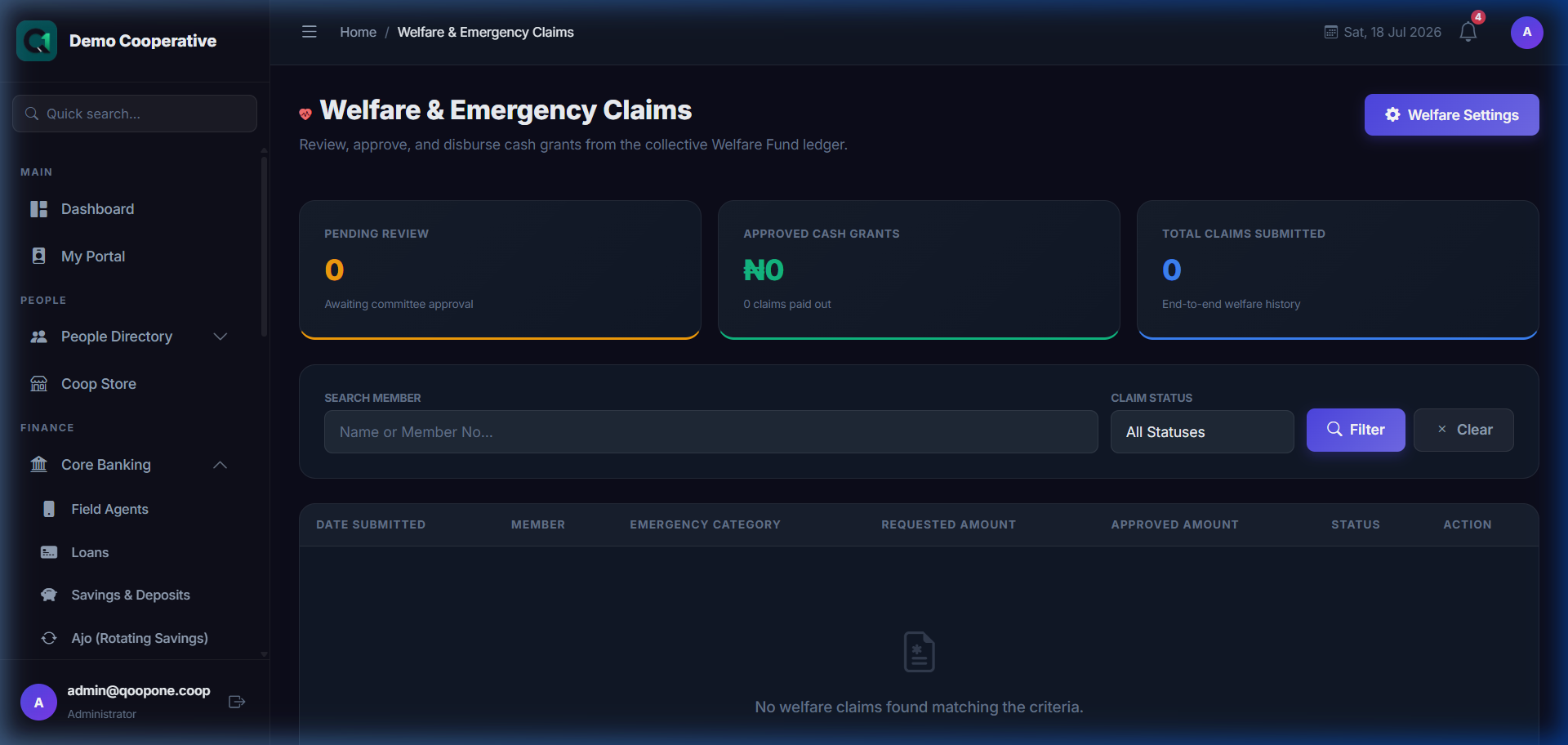
👉 HOW TO SUBMIT AND PROCESS A WELFARE CLAIM (Vivid Guide)
- Add new claim: Go to Core Banking -> Welfare Claims (or click Welfare), click the blue button "New Claim", select the member name, choose the claim type, enter the requested amount, and click submit.
- Approve a claim: Open a pending claim, verify the details/supporting documents, click the green "Approve" button, confirm the payout amount, and save.
Shows: - Total Fund Balance — current welfare fund balance - Pending Claims — claims awaiting review - Total Paid Out — total welfare support given this year - Recent Transactions — latest welfare payments
Welfare Claims List
Shows all welfare claims submitted by or on behalf of members.
| Column | Description |
|---|---|
| Member | Who is making the claim |
| Claim Type | Medical, Bereavement, Emergency, Other |
| Amount Requested | How much the member is asking for |
| Date | When the claim was submitted |
| Status | Pending, Approved, Rejected, Paid |
Submitting a Welfare Claim
- Go to Welfare.
- Click New Claim.
- Fill in:
| Field | Required | Description | Example |
|---|---|---|---|
| Member | Yes | The member applying | Ngozi Adichie (MBR-0034) |
| Claim Type | Yes | Nature of the welfare need | Medical |
| Amount Requested | Yes | How much support is needed | ₦50,000 |
| Description | Yes | Explain the situation | Surgery required for appendicitis |
| Supporting Documents | No | Upload hospital letters, death certificates, etc. | (file upload) |
- Click Submit Claim.
Approving a Welfare Claim
- Open a pending claim.
- Review the details and documents.
- Click Approve or Reject.
- If approving, confirm the amount to be paid (may differ from requested amount).
- Click Confirm.
Tips
Document Everything
Always ask members to provide supporting documents (hospital receipts, doctor's letters, etc.) before approving welfare claims. This protects the cooperative from abuse.
Fund Balance
Welfare payments are limited by the fund balance. Monitor the balance regularly to ensure the fund remains healthy.
Frequently Asked Questions
Q: Can a member apply for welfare more than once?
A: Yes, subject to the cooperative's policy and available fund balance.
Q: Who decides the welfare policy?
A: The cooperative's committee or board of directors sets the welfare policy in Admin → Settings.