SMS
Purpose
The SMS module allows the cooperative to send text messages directly to members' mobile phones. SMS messages can be sent individually, to a selected group, or to all members. This is useful for payment reminders, event announcements, dividend notifications, and general alerts.
Who Can Access
| Role | Access Level |
|---|---|
| Administrator | Full access — can send to all members |
| Branch Manager | Can send to members in their branch |
| Account Officer | Can send individual SMS |
How to Open This Page
Sidebar → SMS
Compose and Send SMS
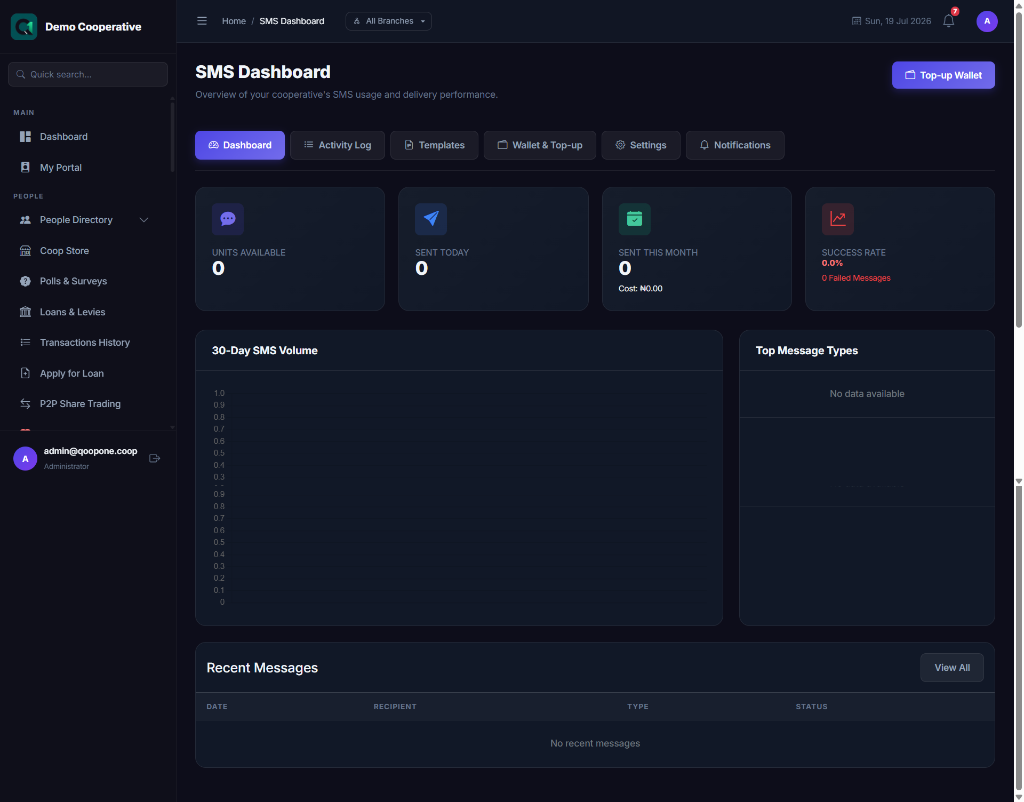
- Go to SMS.
- Click Compose SMS.
- Fill in:
| Field | Required | Description | Example |
|---|---|---|---|
| Recipient Type | Yes | All Members, Specific Members, or Branch | All Members |
| Branch | Conditional | Select a branch if sending to a specific branch | Ikeja Branch |
| Select Members | Conditional | Select individual members if not sending to all | Ngozi Adichie, Emeka Eze |
| Message | Yes | The text message to send. Keep it short — SMS has a 160-character limit. | Dear Member, your loan repayment of ₦15,000 is due on 01/08/2026. Thank you. |
- Click Send SMS.
SMS Templates
Save frequently used messages as templates to avoid retyping them.
- Click Templates.
- Click Add Template.
- Give the template a Name and write the Message.
- Save the template.
When composing future messages, select the template to pre-fill the message field.
SMS History
Shows all previously sent SMS messages.
| Column | Description |
|---|---|
| Date | When it was sent |
| Message | The message content |
| Recipient Count | How many members received it |
| Status | Sent, Failed, Partial |
Tips
Keep Messages Short
Standard SMS allows 160 characters. Longer messages are split and charged as multiple SMS. Keep messages brief and clear.
Personalise with Merge Fields
Some messages support merge fields like {MemberName} or {LoanBalance}. These are automatically replaced with the member's actual details. Ask your administrator if merge fields are available.